
AI Fashion
Dress Me vs an AI Stylist Chat: Which Should You Use?
Dress me fills a Look from your wardrobe. The AI stylist is a conversation. Use the canvas when you want a combination, and chat when you need a brief.
In this guide
Fashion Frame has two ways to get an outfit from clothes you already own. They are easy to mix up because both use the wardrobe and both can reason about the day. They are not the same job.
Dress me lives inside the Looks builder. It composes pieces onto the canvas. You save the result as a Look if you want to keep it.
The AI stylist is the conversation in Chat. You ask a question, get an answer, and refine it in language.
If you only remember one distinction: Dress me is for filling a Look; the AI stylist is for talking through a decision. Our AI personal stylist guide covers what that kind of system can and cannot do. This page is about which surface to open.
Use Dress me when you want a combination on the canvas
Open Dress me when:
- You are already building a Look and want the wardrobe to propose the remaining pieces.
- You would rather see garments in a layout than read a paragraph.
- You are ready to save or reject a specific combination.
Dress me still needs a usable wardrobe. An empty closet, or one with only wishlist pieces, cannot compose a wearable Look. Add a few pieces you actually wear, then run it.
The composition is a draft. Saving the Look is a separate action. If you close the builder without saving, you have not stored an outfit.
A dashboard nudge can open the builder with Dress me already running. That is a shortcut into the same action, not a different product.
Use the AI stylist when you need a conversation
Open Chat when:
- You are stuck and need to name the brief: occasion, walking, heat, a piece you must use.
- You want to say “keep the trousers, change the top” and continue.
- You are not ready to save a Look; you want reasoning first.
The stylist can use wardrobe context, preferences, and — when your location is saved — weather. That is useful for hot-weather dressing or a messy week. It is slower than Dress me if you already know you just want a combination laid out.
Ask the way you would a person who can see your closet: “Use the navy trousers for an indoor meeting; I will walk; no heels.” The method in creating outfits from clothes you already own still applies. The chat does not replace an anchor; it works better when you give it one.
They share a wardrobe. They do not share a screen.
Both should see the same photographed clothes if you have added them. Check the referenced pieces against your real wardrobe; an AI suggestion can still misdescribe an item. Neither tool guarantees fit or comfort.
Scroll the table sideways if you need more room.
| You want to… | Open | Then |
|---|---|---|
| Get a combination onto a Look quickly | Looks, then Dress me | Review the pieces, save if you will actually wear it |
| Talk through a constraint | AI stylist in Chat | Refine in the next message, then save a Look if it holds |
| Plan the week | Calendar, using Looks you already trust | Do not generate seven new Looks from scratch the night before |
| Compare two directions on you | Try-on, after you have two candidate outfits | Read when not to use virtual try-on first if the question is fit |
A practical sequence
For an ordinary demanding day:
- Write the brief (place, walking, heat, one hard rule).
- If you already have a Look that matches, wear it. Stop.
- If you do not, Dress me can propose a combination from the wardrobe.
- If the proposal is close but wrong, switch to Chat and say which part to change — or change one piece yourself using the anchor method.
- Save the Look. If the week is busy, put it on Calendar.
If you are packing, photograph the travel set first. Asking either surface to style the closet you left at home will not help in the hotel.
Walk through the two choices on the web
These are the current web screens, checked on 12 October 2026. The mobile apps use their own navigation; the sequence below names the web controls.
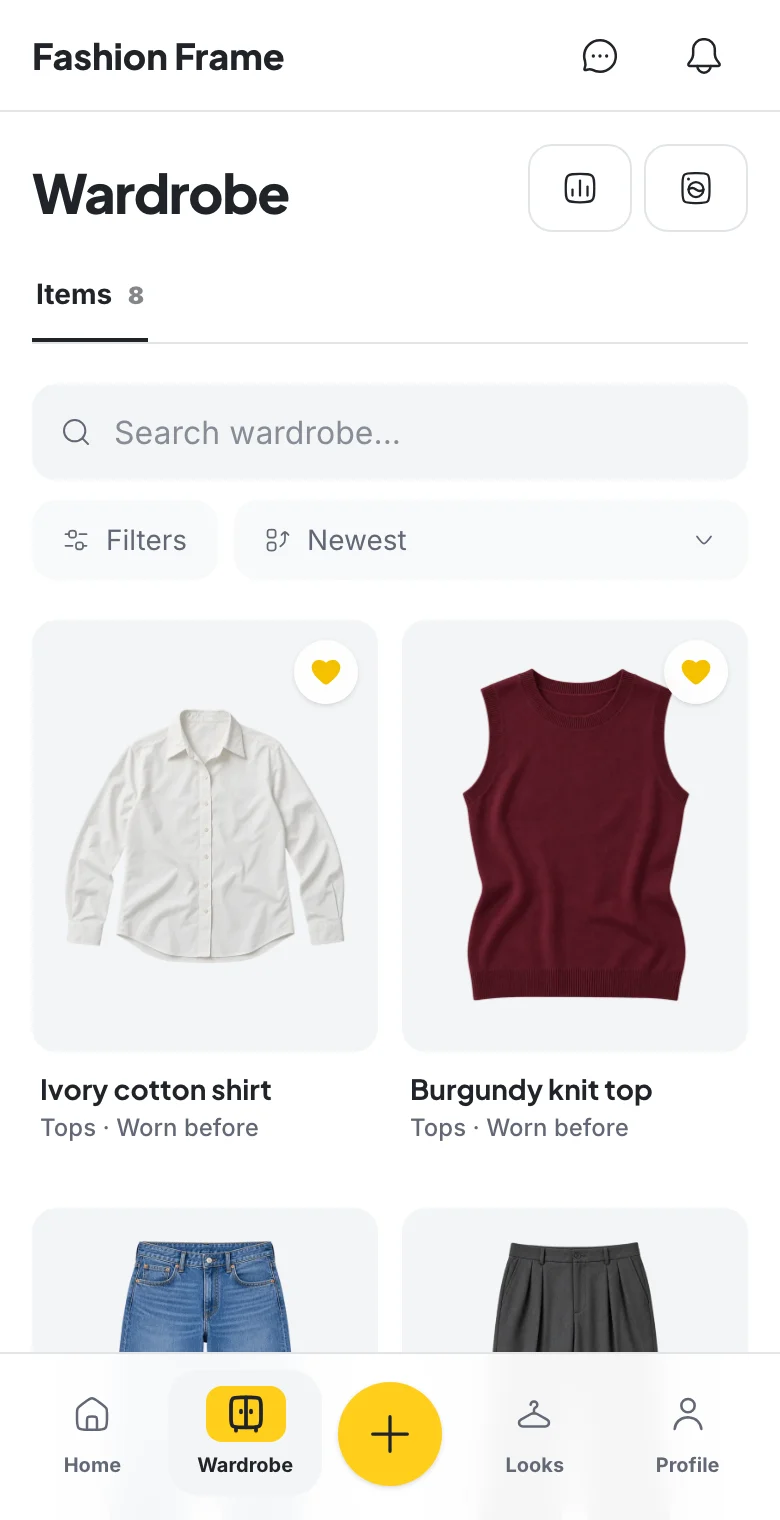
Input — add a few clothes you actually wear. Review each item's photo and details in Wardrobe before asking either tool for an outfit. A small, accurate inventory is enough to start.
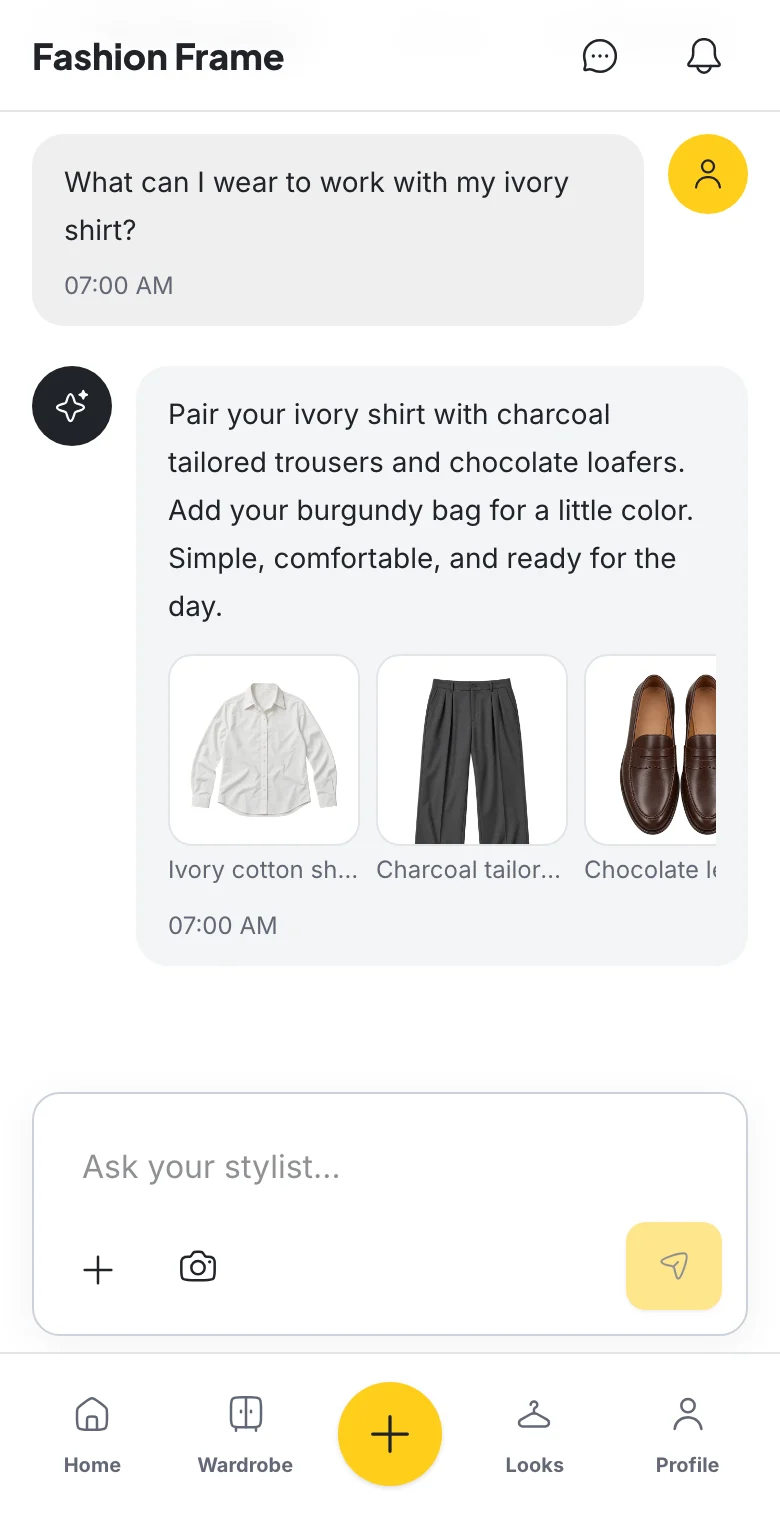
Action — choose composition or conversation. For a visual combination, open Looks, create a Look and use Dress me in the builder. Review the pieces and use Save Look to keep it. For reasoning, open Chat and ask about an occasion or one piece. In this example the question names the ivory shirt, so the response can discuss trousers, shoes and a bag around that anchor.
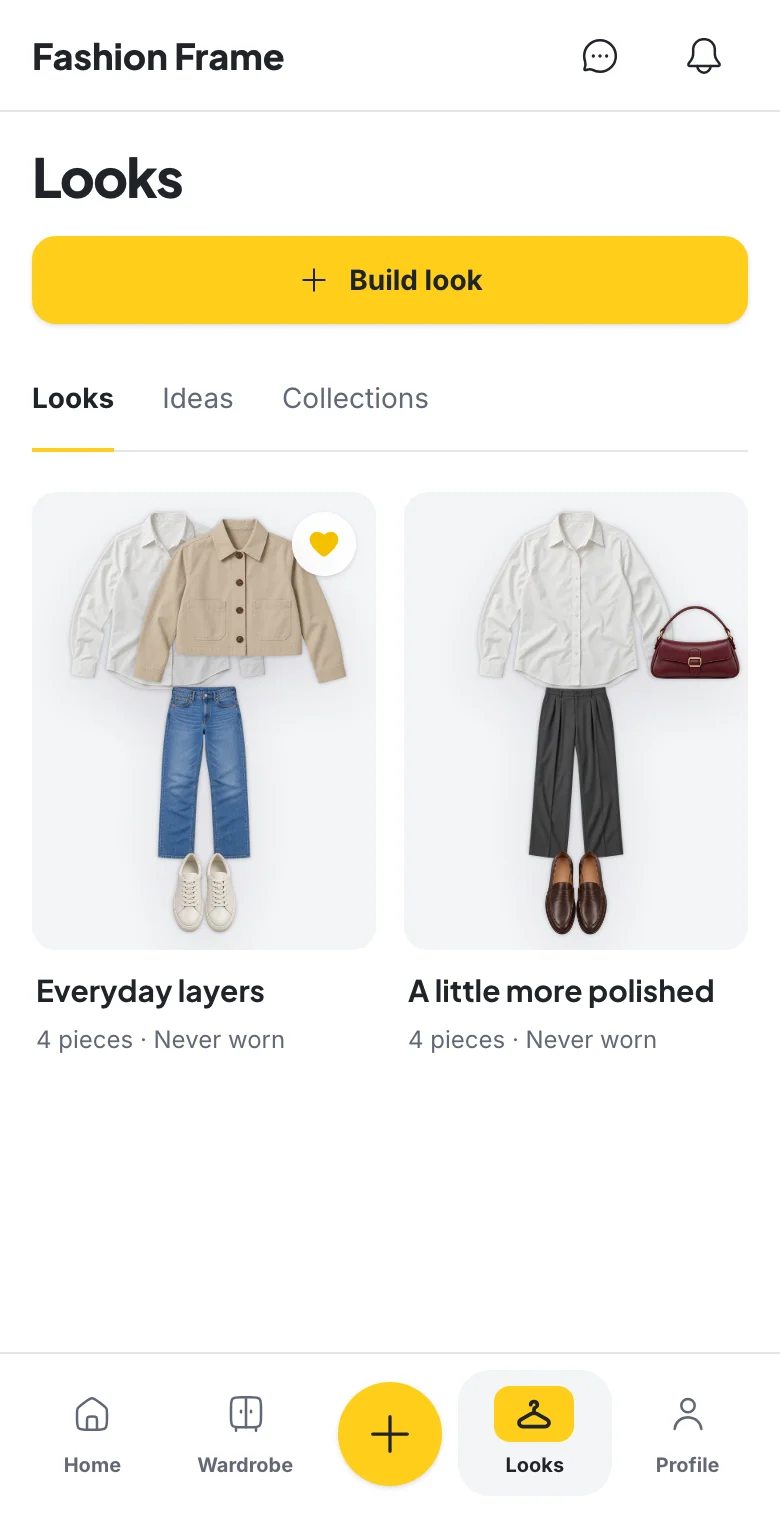
Result — keep a combination you would wear. A chat reply is not a saved Look. Build or edit the combination in Looks and save it, then put it on Calendar if useful. The saved examples below show where those choices live.
If an item is missing or misdescribed, correct the wardrobe or replace it yourself. Check the allowance shown in the app before running an AI feature; Pricing explains the current plans.
Frequently asked questions
Is Dress me an AI stylist?
It is an AI composition action that uses your wardrobe. The conversational stylist is in Chat. Both are wardrobe-aware. They are different screens and different jobs.
Which one should I use if I am in a hurry?
If you want garments on a canvas, Dress me. If you cannot name the brief yet, Chat is faster than clicking combinations you will reject.
Does Dress me save automatically?
No. It fills the builder. Save Look is what stores it.
Can I use both on the same outfit?
Yes. Compose, then ask the stylist in Chat to reason about a change, or the reverse. Save once you have a combination you will wear.
Put the guide into practice
Start with your own wardrobe.
Ask the AI stylist in Chat for an outfit using the pieces you have photographed.
Try Fashion FrameContinue reading
AI Fashion
What Is an AI Personal Stylist and How Does It Work?
An AI personal stylist suggests outfits from your clothes, your preferences, and the occasion. Here is how it works, how it compares with a human stylist, whether it is free, and how to ask for outfits you will actually wear.
Outfit Ideas
How to Make an Outfit From Clothes You Already Own
To make an outfit, start with one anchor piece, add pieces that suit the same day, and let the shoes set the formality. A five-step method, eight outfit formulas, and the reasoning behind each.
AI Fashion
When Not to Use Virtual Try-On
Skip virtual try-on for fit, shopping screenshots, and days when you have not chosen clothes yet. Use it only to compare two owned-clothes directions.