
See an outfit on you before you wear it.
Add one clear, full-body photo, pick pieces from your wardrobe or a saved look, and Fashion Frame generates a preview of the outfit on you. Not convinced? Swap a piece and compare.

Or start on the web with the same account.
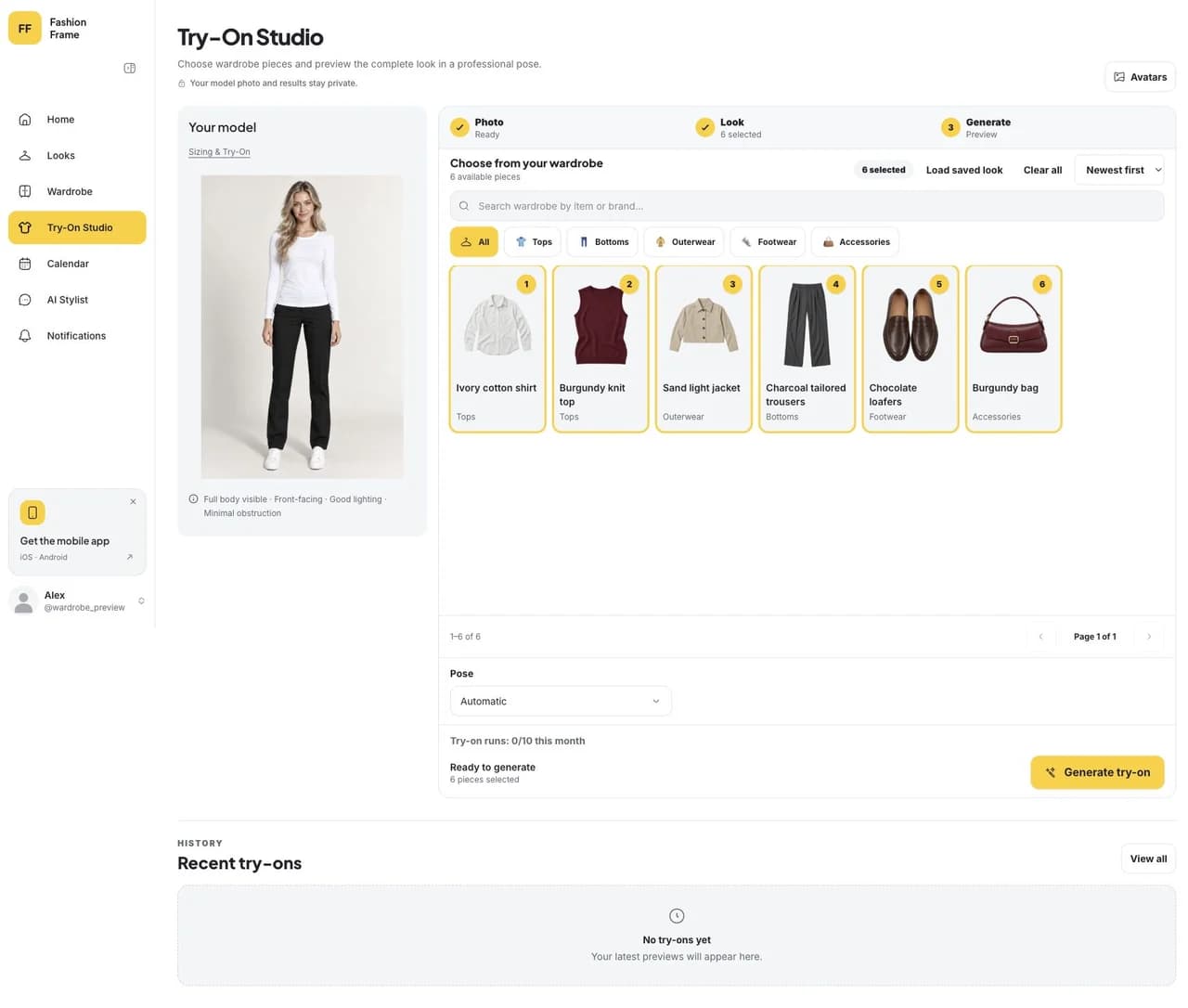
Start from clothes you own
Choose the pieces yourself, start from a look you saved, or try something from a friend's closet when they share it with you. The preview uses your own photo, so you see the combination on you rather than on a stock model.
Compare directions, then decide
Keep the jacket and change the shoes, or try the same trousers two ways. When one version works, save it as a look and put it on your calendar.
Know what a preview can tell you
A try-on image is good for judging color, proportion and how pieces work together. It cannot tell you size, stretch or how a fabric moves, so use it to choose a styling direction, not to replace a fitting.
How to start
Step 1
Add your photo
One clear, well-lit, full-body photo. It stays private to your account.
Step 2
Pick the pieces
Choose items from your wardrobe or a saved look.
Step 3
Compare and save
Swap a piece if you are unsure, then save the look you will wear.
Questions
How does virtual try-on work?
You add a full-body photo and choose clothes from your wardrobe. An image model generates a preview of you wearing them. Our explainer covers what happens in between.
Can I try on clothes I already own?
Yes, that is what it is for. Pick pieces from your wardrobe or a saved look, or items from a friend's closet when they share it.
Does it show how something will fit?
No. The preview shows the styling: colors, proportions and how the pieces go together. Size and fit still depend on the garment itself.
How many try-ons can I do?
Each try-on uses AI credits from your plan, and the free plan includes a monthly allowance. A 360° video preview is available on paid plans. See Pricing for the current amounts.
Is my photo private?
Yes. Your photo is stored with your account and used for your previews. You can replace it at any time, and deleting your account removes it.